
Lightyear Frontier House: Building and Coziness Guide
Build your Lightyear Frontier house with a practical starter layout, roof support tips, Coziness buffs, and the kitchen and bathroom unlocks added in 1.0.
Jump to

How to Build a House in Lightyear Frontier
Your Lightyear Frontier house starts with a simple goal: put a bed under a supported roof, then build out the rooms you want around it. That gives you somewhere to sleep while you develop a homestead whose decorations can unlock useful Coziness effects. Start with a compact layout so construction leaves you enough room and resources for your farm.
House building uses modular foundations, floors, walls, and roofs. Older versions featured single-piece homesteads, so an old House crafting recipe is a different building system from assembling your own home.
For a straightforward starter house:
- Arrange four foundation pieces in a square. Snap them together to establish a compact footprint.
- Place matching wooden floor sections on top. Finish the floor before enclosing the space.
- Build the perimeter walls. A starter layout can use seven wall sections and one doorway section.
- Add the roof after the walls. Complete the supporting structure before extending roof pieces across it.
- Place a bed beneath the roof. Keep it within the covered part of the building.
- Use the bed to sleep. Test the basic shelter before spending resources on a larger design.
The sleeping area does not need a completely sealed exterior. Roof coverage above the bed matters, which leaves room for an open entrance or a more spacious design later.
Official page: Lightyear Frontier (lightyearfrontier.com)
Choose a Location With Room for Your Farm
Keep the house close to your daily work without filling the space you need for machinery and crops. Leave an open route between the entrance, storage, workshop, and fields.
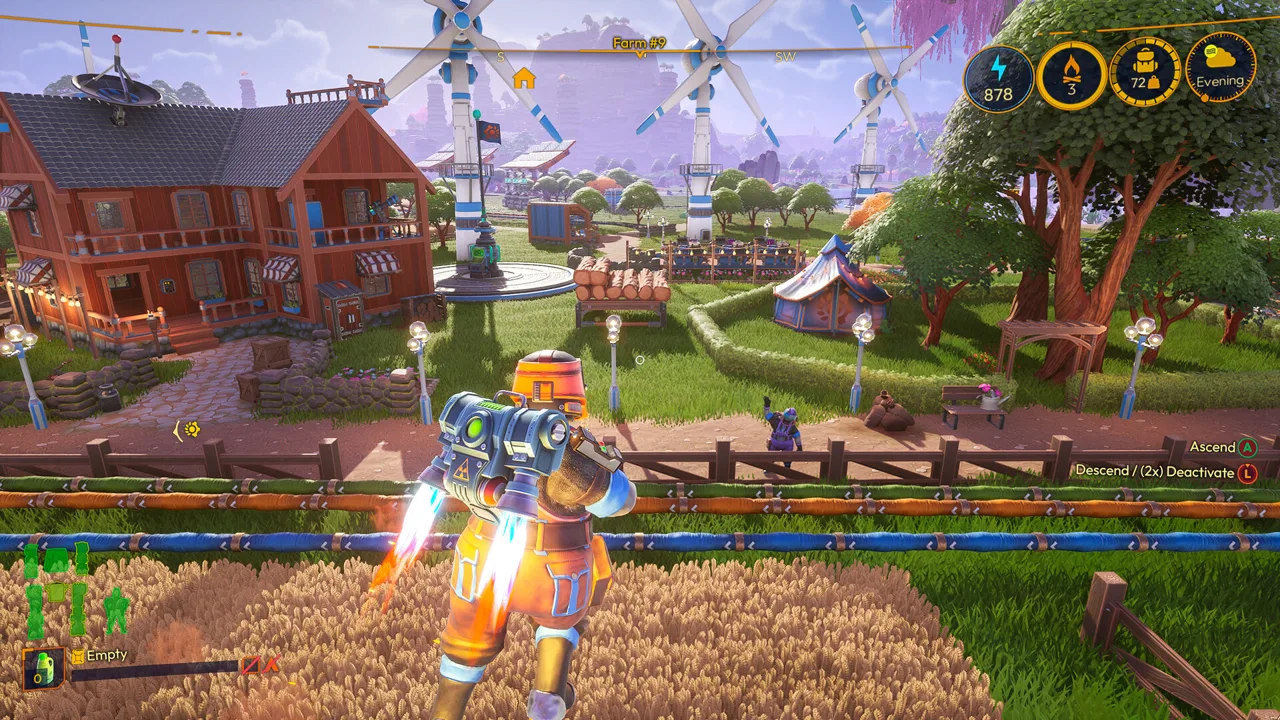 Image: Steam / FRAME BREAK
The broad field near the meeting point of Outset Grasslands, Hexagon Valley, and Frost Peak Ridge offers access to several regions. Nearby forests and mineral deposits make it a practical place to gather building materials while expanding a farm.
To reach this general area from the starting region, follow the river upstream toward Frost Peak Ridge, then take the downhill dirt route toward the open grassland near the neighboring regions.
Before committing to the house footprint:
- Reserve a separate patch for a covered workshop.
- Leave space around the fields for your mech to move.
- Keep an expansion side clear so another room will not block your working area.
- Position storage where you can reach it conveniently from both the house and crafting machines.
The farm center does not need to face a particular compass direction for a gameplay advantage. Use its orientation to organize the property if you prefer a neat grid.
Use Planning Mode Before Spending Materials
Version 1.0, released November 4, 2026, added Planning Mode to the build menu. It lets you place construction holograms without contributing resources when you place them.
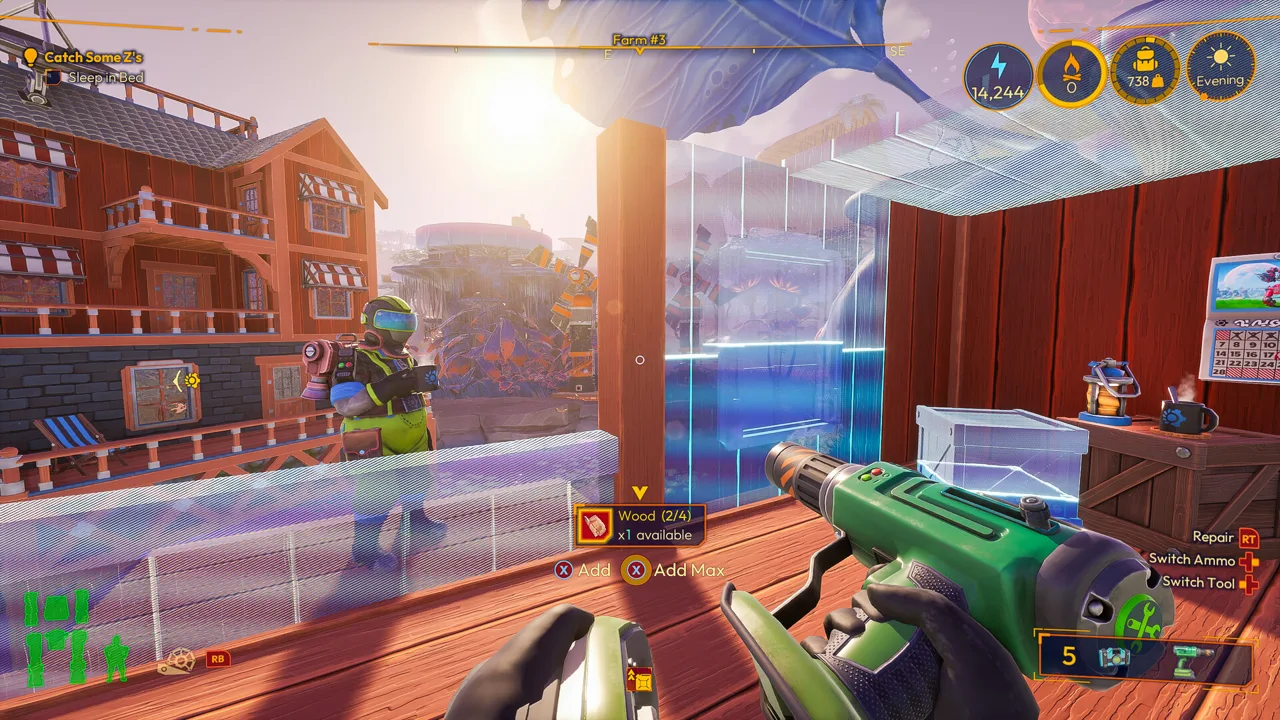 Image: Steam / FRAME BREAK
Use it to map out the complete starter house before committing materials. Lay out the foundation, doorway, walls, and roof, then check whether the entrance faces the part of the farm you use most.
Plan the workshop alongside the house, too. A home that fits neatly on its own can still leave an awkward gap for machinery or crowd the route to your fields.
Once the layout works, begin contributing materials to the holograms. You can hold the Interact button to continue contributing across different Constructs, reducing repeated button presses when completing connected walls or other building pieces.
Build the supports before the pieces that depend on them. Planning the whole roof is useful; constructing it ahead of its supporting walls can cause problems.
Decorate for Coziness and Useful Buffs
Decorations give your home a lived-in appearance and contribute to the Coziness system. Version 1.0 expanded that system with additional buff levels, including a level 0 buff available simply by sleeping in a bed.
 Image: lightyearfrontier.com
Two added Coziness effects have clear practical benefits:
- Homestead Swiftness: Increases your Exofarmer’s movement speed by 50% while inside a Home Area.
- Eco Driving: Reduces your mech’s fuel consumption by 20%.
These are Coziness rewards, rather than automatic benefits from placing a particular kitchen or bathroom item. Check the Coziness effects available to your home as you decorate.
Kitchen and Bathroom Decorations
Lola sells new household decorations in 1.0, with bathroom and kitchen items becoming available at different delivery counts.
| Decoration Group | Items | Availability |
|---|---|---|
| Bathroom | Toilet, Towel Rack, TP Holder, TP Holder (Reverse) | After 16 deliveries |
| Kitchen | Dishwasher, Fridge, Sink | After 31 deliveries |
These requirements count deliveries, not Milestone numbers. Continue making deliveries while developing the farm to reach the household decoration unlocks.
The Rat with the Pearl Earring Poster and Moxa Lisa Poster also join the decoration selection. Use them to finish interior walls once the furniture layout is settled.
Build a Covered Workshop Beside the House
A separate workshop gives your production machines roof coverage while preserving space inside the home.
A 3-by-2 foundation layout with a supported roof provides a compact starting footprint for an Assembler, Oil Presser, and Seed Extractor. Extend the shelter as you add larger machines, such as a Sawmill.
Crafting Constructs benefit from a roof efficiency bonus. In version 1.0, the coverage check looks directly upward from the machine’s center and four corners. Place the roof over the full machine footprint instead of covering only its middle.
An open-sided workshop can keep machines accessible. Build the supporting walls or uprights, extend the roof over the equipment, and check each machine’s efficiency status after placement.
Leave room for connections as production grows. Automation begins at Milestone 4 in 1.0, and Automation Pipes can move resources directly from storage to crafting Constructs.
Fix Roof Support and Coverage Problems
A roof that looks finished can still have a support or coverage problem. Diagnose those separately.
If roof pieces will not stay supported: Complete the walls beneath them before extending farther. Add uprights or beams where the design needs support. Structural integrity calculations were corrected in 1.0, so previously floating or insufficiently supported sections can collapse.
If a machine loses its efficiency bonus: Inspect the roof above the machine’s center and all four corners. Extend the roof or move the machine farther underneath it, then check its status again.
If the sleeping area is unfinished: Prioritize the supported roof above the bed before adding decorative walls or another room. Test sleeping in the compact shelter before enlarging it.
For the finishing work, use the H.O.E. to create dirt or stone paths and trim grass around entrances. Its precise pathmaking lets you tidy the corners around your house where a larger landscaping mode is harder to maneuver.
Continue with
 Lightyear Frontier Best Mostly Flat Locations to BuildLooking for Lightyear Frontier best mostly flat locations to build? Find roomy farm sites, nearby resources, and practical layout tips for your next base.
Continue exploring

Lightyear Frontier Automation Crafting Guide for 1.0
Use this Lightyear Frontier automation crafting guide to connect storage, set Auto Craft recipes, manage energy, and fix broken pipes in the 1.0 update.
Lightyear Frontier Guide: Farm Setup to Automation
Use this Lightyear Frontier guide to choose a farm site, grow alien crops, upgrade your mech, and build an automated homestead in the full 1.0 release.
Join the community
Official channels for news, updates and player help: