
Lightyear Frontier Fuel: Mech Efficiency Guide for 1.0
Manage Lightyear Frontier fuel with the 1.0 changes to empty tanks, Eco Driving's 20% reduction, custom difficulty options, and updated farm automation.
Jump to

How Mech Fuel Works in Version 1.0
An empty tank changes how your mech performs. Lightyear Frontier fuel management matters because running dry now applies a scaling stat penalty instead of completely disabling your Mod Chips. The November 4, 2026, 1.0 update also adds a 20% fuel-saving Coziness buff and separate settings for mech and Construct fuel consumption.
That empty-tank behavior matters when planning an expedition: your installed Mods no longer shut off completely just because fuel runs out, but the mech still loses performance. Check your fuel before leaving for a resource run so you can work with your build at full strength.
Fuel also remains separate from your customization budget. Version 1.0 removes Power costs from Tools, Parts, and Modes, leaving more Power available for Mods. Those changes make equipping your mech easier; they do not remove its fuel requirements.
Official page: Lightyear Frontier (lightyearfrontier.com)
Reduce Consumption With Eco Driving

Eco Driving reduces your mech’s fuel consumption by 20%. It belongs to the Coziness system, giving your homestead a practical role in managing the mech’s upkeep.
Look for Eco Driving among your home’s Coziness buffs when improving your living space. A decorated home can support your farming routine beyond giving you somewhere to sleep.
Keep the benefit’s scope in mind: Eco Driving affects mech fuel consumption. Construct fuel consumption has its own world setting, so plan your farm’s fuel needs separately from your exploration needs.
For trips between your farm and mining outposts, group your gathering tasks into the same outing. Use pipelines to bring processed resources back to storage where possible, reducing the number of hauling trips you need to make yourself.
Customize Your World’s Fuel Rules
Version 1.0 brings fuel controls into a unified, host-controlled set of world settings. These options let you decide how much fuel management belongs in your farming routine:

- Fuel Consumption (Mech) controls the mech’s fuel consumption setting.
- Disable Mech Without Fuel controls whether an empty tank disables the mech.
- Fuel Consumption (Constructs) handles fuel consumption for farm Constructs separately.
- Construct Energy Cost adjusts another part of your farm’s operating requirements.
Check Disable Mech Without Fuel when setting up your world, especially if you want to choose how restrictive an empty tank should be. The setting is separate from the general 1.0 change to Mod Chip behavior.
For multiplayer farms, coordinate these choices with the host. The settings apply at the world level, so everyone shares the same operating rules.
Update Fuel Production and Farm Automation
The 1.0 progression adds Fuel Mixer II and III, alongside additional machine tiers such as Oil Presser III. Check these new options as your farm advances rather than rebuilding an older production layout unchanged.

Automation has also changed substantially. Automation Pipes replace Automators, and crafting Constructs can now draw resources directly from connected storage. Automation starts at Milestone 4 and expands through later progression.
When reorganizing your processing area:
- Use storage with an Output connection.
- Connect storage to crafting Constructs through Automation Pipes.
- Select the recipes you want to Auto Craft.
- Set storage Resource Filters to control which discovered items enter each container.
Crafting Constructs can cycle through up to three Auto Craft recipes, skipping recipes whose ingredients are unavailable. For a machine handling several jobs, keep the required ingredients flowing into its connected storage.
Use the Accept filter for resources you want routed into a particular container, or Deny to block unwanted items. Filters also affect adjacent pickups entering storage, helping keep your processing area organized.
Generators received increased Energy output in 1.0, too. Recheck your farm’s Energy balance after expanding production instead of copying an older generator count. Keep fuel supply, available Energy, and crafting ingredients on your checklist when a production line stops running.
Continue with
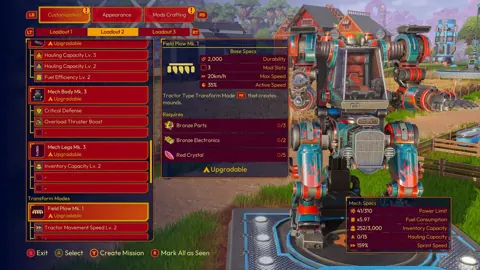 Lightyear Frontier How to Install Upgrades: 1.0 GuideLightyear Frontier how to install upgrades: use the 1.0 customization menu, upgrade tools and parts, equip Mod Chips, and unlock tool secondary abilities.
More in Mechs
See all Mechs
Continue exploring

Lightyear Frontier Automation Crafting Guide for 1.0
Use this Lightyear Frontier automation crafting guide to connect storage, set Auto Craft recipes, manage energy, and fix broken pipes in the 1.0 update.

Lightyear Frontier House: Building and Coziness Guide
Build your Lightyear Frontier house with a practical starter layout, roof support tips, Coziness buffs, and the kitchen and bathroom unlocks added in 1.0.
Join the community
Official channels for news, updates and player help: